
最近更新于 2026-05-02 09:40
项目地址
项目地址:https://github.com/smartmontools/smartmontools
简述
在 Windows 下查询硬盘信息我一般就使用CrystalDiskInfo
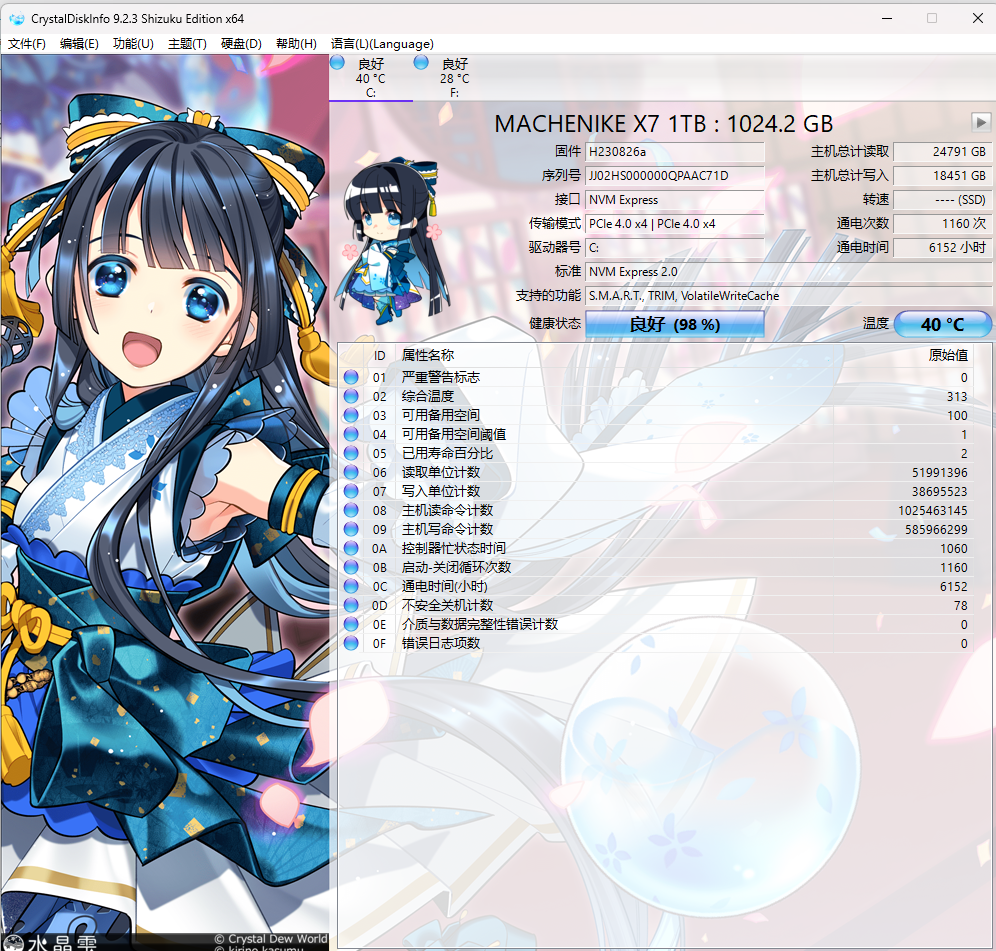
在 Linux 下可用的工具就少了,而 SmartMontools 就支持 Linux,当然也不限于 Linux,只是它没有图形界面,使用便捷性没那么高,它还支持 arm 架构的 CPU。
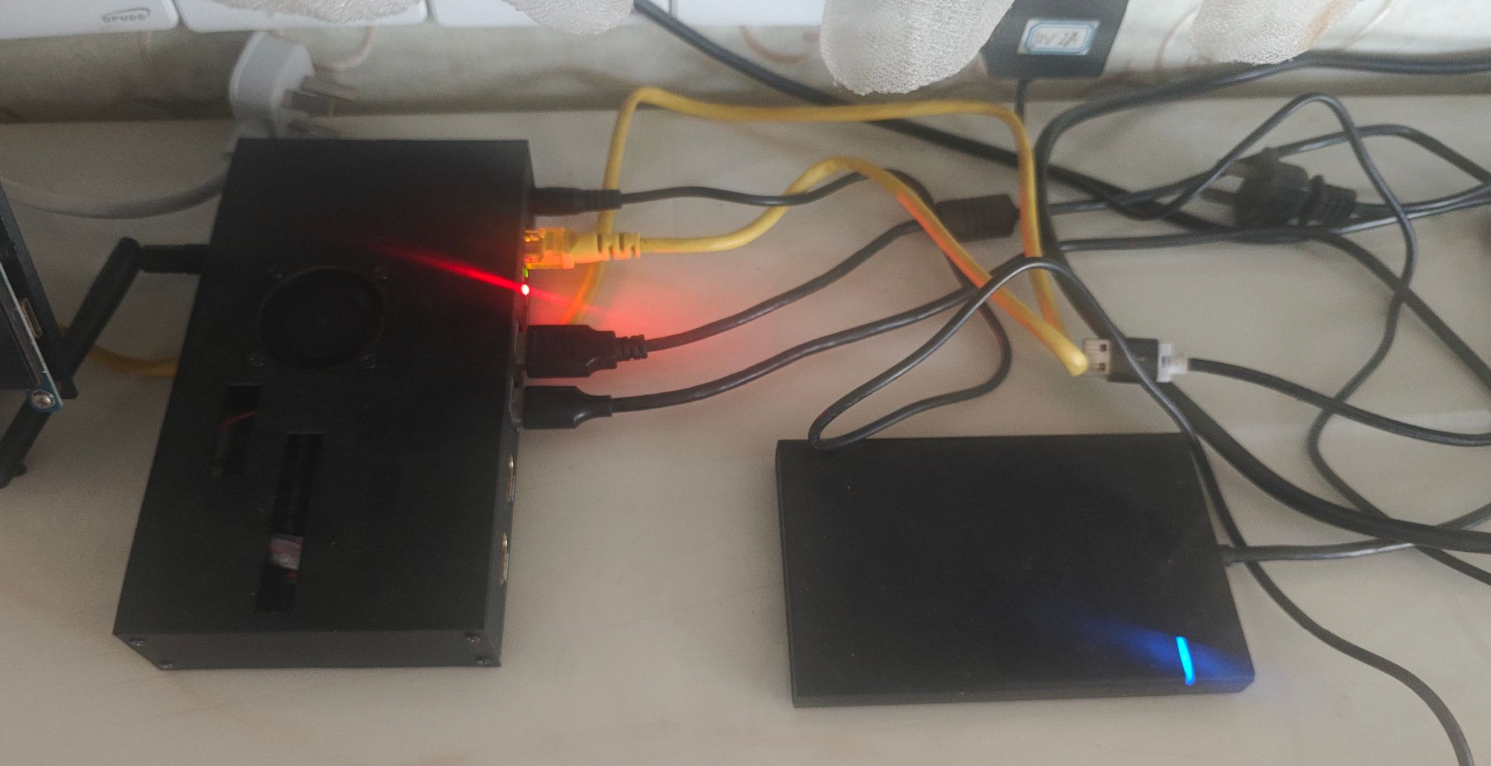
我本地使用树莓派 CM4(Debian 12 arm64)部署有 ZoneMinder 监控和 NextCloud 网盘,硬盘是 2.5 英寸的西数蓝盘 SSD(2021 年 8 月买的),通过绿联的硬盘盒接到树莓派。从 2024 年 9 月部署后一直保持运行,有些担心某天硬盘突然挂掉的话,就让人头疼了。因此过一段时间就要查看一下硬盘参数,是否有危险指标。之前我是把树莓派关机,硬盘插到 Windows 电脑上查看的,还是有些额外费神的。
使用
我这里 Debian 系统直接使用命令即可安装:
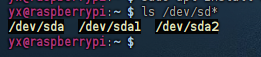
sudo apt install smartmontools安装后可以先查看硬盘设备地址
ls /dev/sd*sda 就是这里的固态硬盘设备(使用这个地址),sda1 和 sda2 则是 sda 的分区。
用 SAT 模式查询 sda 硬盘
sudo smartctl -d sat -a /dev/sda查询结果
输出信息:
如果看不懂就直接发给 AI 分析即可
yx@raspberrypi:~ $ sudo smartctl -d sat -a /dev/sda
smartctl 7.3 2022-02-28 r5338 [aarch64-linux-6.6.31+rpt-rpi-v8] (local build)
Copyright (C) 2002-22, Bruce Allen, Christian Franke, www.smartmontools.org

=== START OF INFORMATION SECTION ===
Model Family:     WD Blue / Red / Green SSDs
Device Model:     WDC  WDS500G2B0A-00SM50
Serial Number:    21105U806179
LU WWN Device Id: 5 001b44 8beff1180
Firmware Version: 401020WD
User Capacity:    500,107,862,016 bytes [500 GB]
Sector Size:      512 bytes logical/physical
Rotation Rate:    Solid State Device
Form Factor:      2.5 inches
TRIM Command:     Available, deterministic, zeroed
Device is:        In smartctl database 7.3/5319
ATA Version is:   ACS-4 T13/BSR INCITS 529 revision 5
SATA Version is:  SATA 3.3, 6.0 Gb/s (current: 6.0 Gb/s)
Local Time is:    Sat May  2 09:28:40 2026 CST
SMART support is: Available - device has SMART capability.
SMART support is: Enabled

=== START OF READ SMART DATA SECTION ===
SMART overall-health self-assessment test result: PASSED

General SMART Values:
Offline data collection status:  (0x00) Offline data collection activity
                                        was never started.
                                        Auto Offline Data Collection: Disabled.
Self-test execution status:      (   0) The previous self-test routine completed
                                        without error or no self-test has ever
                                        been run.
Total time to complete Offline
data collection:                (    0) seconds.
Offline data collection
capabilities:                    (0x11) SMART execute Offline immediate.
                                        No Auto Offline data collection support.
                                        Suspend Offline collection upon new
                                        command.
                                        No Offline surface scan supported.
                                        Self-test supported.
                                        No Conveyance Self-test supported.
                                        No Selective Self-test supported.
SMART capabilities:            (0x0003) Saves SMART data before entering
                                        power-saving mode.
                                        Supports SMART auto save timer.
Error logging capability:        (0x01) Error logging supported.
                                        General Purpose Logging supported.
Short self-test routine
recommended polling time:        (   2) minutes.
Extended self-test routine
recommended polling time:        (  10) minutes.

SMART Attributes Data Structure revision number: 4
Vendor Specific SMART Attributes with Thresholds:
ID# ATTRIBUTE_NAME          FLAG     VALUE WORST THRESH TYPE      UPDATED  WHEN_FAILED RAW_VALUE
  5 Reallocated_Sector_Ct   0x0032   100   100   ---    Old_age   Always       -       0
  9 Power_On_Hours          0x0032   100   100   ---    Old_age   Always       -       29400
 12 Power_Cycle_Count       0x0032   100   100   ---    Old_age   Always       -       1974
165 Block_Erase_Count       0x0032   100   100   ---    Old_age   Always       -       279359523271
166 Minimum_PE_Cycles_TLC   0x0032   100   100   ---    Old_age   Always       -       9
167 Max_Bad_Blocks_per_Die  0x0032   100   100   ---    Old_age   Always       -       15
168 Maximum_PE_Cycles_TLC   0x0032   100   100   ---    Old_age   Always       -       59
169 Total_Bad_Blocks        0x0032   100   100   ---    Old_age   Always       -       94
170 Grown_Bad_Blocks        0x0032   100   100   ---    Old_age   Always       -       0
171 Program_Fail_Count      0x0032   100   100   ---    Old_age   Always       -       0
172 Erase_Fail_Count        0x0032   100   100   ---    Old_age   Always       -       0
173 Average_PE_Cycles_TLC   0x0032   100   100   ---    Old_age   Always       -       33
174 Unexpected_Power_Loss   0x0032   100   100   ---    Old_age   Always       -       103
184 End-to-End_Error        0x0032   100   100   ---    Old_age   Always       -       0
187 Reported_Uncorrect      0x0032   100   100   ---    Old_age   Always       -       0
188 Command_Timeout         0x0032   100   100   ---    Old_age   Always       -       0
194 Temperature_Celsius     0x0022   072   050   ---    Old_age   Always       -       28 (Min/Max 4/50)
199 UDMA_CRC_Error_Count    0x0032   100   100   ---    Old_age   Always       -       0
230 Media_Wearout_Indicator 0x0032   005   005   ---    Old_age   Always       -       0x0500031e0500
232 Available_Reservd_Space 0x0033   100   100   004    Pre-fail  Always       -       100
233 NAND_GB_Written_TLC     0x0032   100   100   ---    Old_age   Always       -       16981
234 NAND_GB_Written_SLC     0x0032   100   100   ---    Old_age   Always       -       29755
241 Host_Writes_GiB         0x0030   253   253   ---    Old_age   Offline      -       25102
242 Host_Reads_GiB          0x0030   253   253   ---    Old_age   Offline      -       17745
244 Temp_Throttle_Status    0x0032   000   100   ---    Old_age   Always       -       0

SMART Error Log Version: 1
No Errors Logged

SMART Self-test log structure revision number 1
No self-tests have been logged.  [To run self-tests, use: smartctl -t]

Selective Self-tests/Logging not supported
AI 分析结果
1. 设备基本信息
- 产品型号: WDC WDS500G2B0A-00SM50 (Western Digital Blue 3D NAND SATA SSD)
- 固件版本: 401020WD
- 磁盘容量: 500 GB
- 通电时长: 29,400 小时 (约 3.35 年)
- 接口协议: SATA 3.3 (通过 USB 转接芯片穿透读取)
2. 关键健康指标 (S.M.A.R.T. Analysis)
| ID | 属性名称 | 原始值 (RAW) | 状态 | 专家解读 |
|---|---|---|---|---|
| 5 | Reallocated_Sector_Ct | 0 | ✅ 极佳 | 无物理坏块,备用扇区未启用。 |
| 173 | Average_PE_Cycles_TLC | 33 | ✅ 极佳 | 平均擦写次数仅 33 次,颗粒损耗极低。 |
| 241 | Host_Writes_GiB | 25,102 | ✅ 壮年 | 总写入约 24.5 TB,仅占官方标称寿命 (200 TBW) 的 12%。 |
| 199 | UDMA_CRC_Error_Count | 0 | ✅ 稳定 | 线材与接口通信链路完全正常,无数据传输错误。 |
| 174 | Unexpected_Power_Loss | 103 | ⚠️ 注意 | 历史异常断电次数较多,建议加强电源稳定性或规范关机。 |
3. 详细参数解读
🛡️ 物理质量 (Physical Integrity)
该磁盘目前的物理素质非常完美。ID 5 (重定向扇区计数) 和 ID 187 (无法校正的错误) 均为 0,说明闪存介质没有出现任何可见的硬件劣化。
⏳ 剩余寿命 (Endurance)
根据 ID 241 (主机写入总量) 计算,该盘目前的写入消耗仅为总配额的 12%。配合 ID 173 (平均擦写次数 33 次) 来看,这块 SSD 距离其设计的理论寿命终点还有非常遥远的路程,保守估计在当前负载下仍可服役 5-8 年。
🔌 环境可靠性 (Environmental)
- 温度控制: 当前 28°C,历史最高 50°C,处于非常理想的工作温度区间。
- 异常记录: 103 次异常断电(ID 174)是唯一的潜在风险点。虽然 SSD 有内部保护机制,但长期异常断电可能导致逻辑层面的文件系统损坏。
4. 结论与建议
最终评估:健康状况良好 (PASSED)
- 无需更换: 磁盘各项核心指标均远高于安全阈值,可放心承载重要开发项目。
- 维护建议:
- 鉴于已通电 3 年多且存在断电记录,建议定期(如每季度)运行一次
smartctl -t short触发内部自检。 - 保持当前良好的散热环境。
- 在树莓派上操作时,尽量通过
sudo poweroff软关机以降低 ID 174 的增长速度。
- 鉴于已通电 3 年多且存在断电记录,建议定期(如每季度)运行一次
报告生成工具: smartmontools (smartctl) | 分析时间: 2026-05-02