
最近更新于 2026-08-25 10:46
2026/8/25
主要实现按合并单元格复制粘贴数据。
比如我有 5 列数据(无合并单元格),需要粘贴到报告中,但是报告模板中第 3 列实际是 2 列合并而来的。直接粘贴可能会失败或者没有按照预期合并后的单元格顺序粘贴。
比如变成下面这样,把合并的单元格重新给我拆分成 2 列再粘贴了。
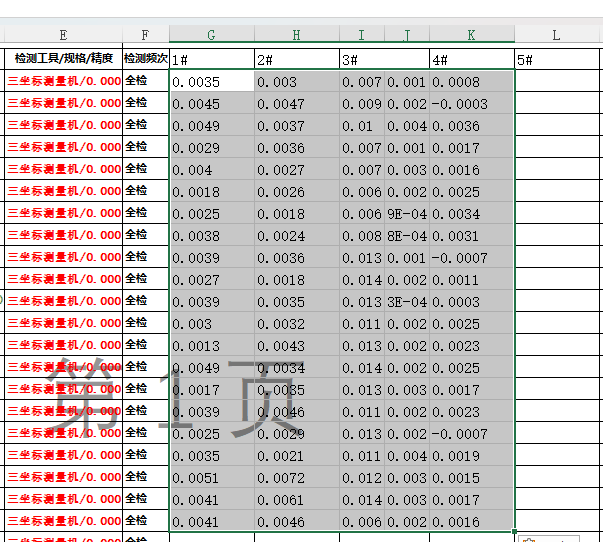
Excel 打开状态,按Alt+F11打开宏编辑器,在某张表下,粘贴下面代码(如果要把宏保存到 Excel 文件中,需要保存为 .xlsm 扩展名)
Sub CopyMergedByMatrixFixed()
    Dim srcRange As Range, destStartCell As Range
    Dim cell As Range, currentArea As Range
    Dim uniqueBlocks As New Collection
    Dim block As Range, i As Long, j As Long, temp As Range

    ' 1. 执行脚本后,提示选择【源数据区域】
    On Error Resume Next
    Set srcRange = Application.InputBox("请框选【源数据区域】:", "选择源数据", Type:=8)
    On Error GoTo 0

    ' 如果用户点击取消或未选择,退出脚本
    If srcRange Is Nothing Then Exit Sub

    ' 2. 确定源数据后,提示选择目标的【第一个单元格/合并块】
    On Error Resume Next
    Set destStartCell = Application.InputBox("请点击目标表格的【第一个单元格/合并块】:", "选择目标起始位置", Type:=8)
    On Error GoTo 0

    ' 如果用户点击取消或未选择,退出脚本
    If destStartCell Is Nothing Then Exit Sub
    Set destStartCell = destStartCell.Cells(1, 1).MergeArea.Cells(1, 1)

    Application.ScreenUpdating = False

    ' 3. 提取源区域所有“非重复合并块/单格”的左上角单元格
    For Each cell In srcRange
        Set currentArea = cell.MergeArea
        If cell.Address = currentArea.Cells(1, 1).Address Then
            uniqueBlocks.Add currentArea.Cells(1, 1)
        End If
    Next cell

    If uniqueBlocks.Count = 0 Then GoTo CleanUp

    ' 4. 对提取出的合并块进行双向排序(按 Top 升序,Top 相同时按 Left 升序)
    For i = 1 To uniqueBlocks.Count - 1
        For j = i + 1 To uniqueBlocks.Count
            Dim topDiff As Double, leftDiff As Double
            topDiff = uniqueBlocks(i).Top - uniqueBlocks(j).Top
            leftDiff = uniqueBlocks(i).Left - uniqueBlocks(j).Left

            ' 如果 i 在 j 下方,或者在同一行但 i 在 j 右侧,则交换
            If topDiff > 1 Or (Abs(topDiff) <= 1 And leftDiff > 1) Then
                Set temp = uniqueBlocks(i)
                Set uniqueBlocks(i) = uniqueBlocks(j)
                Set uniqueBlocks(j) = temp
            End If
        Next j
    Next i

    ' 5. 解析源数据逻辑行列并存入字典 (Key: "行_列", Value: 值)
    Dim valDict As Object
    Set valDict = CreateObject("Scripting.Dictionary")

    Dim curR As Long, curC As Long
    Dim lastTop As Double, maxR As Long, maxC As Long
    lastTop = -1: curR = 0: curC = 0

    For i = 1 To uniqueBlocks.Count
        Set block = uniqueBlocks(i)

        ' 判定是否换行
        If lastTop = -1 Or Abs(block.Top - lastTop) > 1 Then
            curR = curR + 1
            curC = 1
            lastTop = block.Top
        Else
            curC = curC + 1
        End If

        If curR > maxR Then maxR = curR
        If curC > maxC Then maxC = curC

        valDict.Add curR & "_" & curC, block.Value
    Next i

    ' 6. 严格按目标的【物理行列】推演逻辑矩阵并填充数据
    Dim r As Long, c As Long
    Dim curRowAnchor As Range, curCell As Range
    Set curRowAnchor = destStartCell

    For r = 1 To maxR
        Set curCell = curRowAnchor
        For c = 1 To maxC
            ' 将源逻辑位置 (r, c) 的值填入目标逻辑位置
            If valDict.Exists(r & "_" & c) Then
                curCell.Value = valDict(r & "_" & c)
            End If

            ' 逻辑列向右推演:找到下一个不属于当前 MergeArea 的物理列
            If c < maxC Then
                Set curCell = curCell.Worksheet.Cells(curCell.Row, curCell.MergeArea.Column + curCell.MergeArea.Columns.Count).MergeArea.Cells(1, 1)
            End If
        Next c

        ' 逻辑行向下推演:找到下一个不属于当前行 MergeArea 的物理行
        If r < maxR Then
            Set curRowAnchor = curRowAnchor.Worksheet.Cells(curRowAnchor.MergeArea.Row + curRowAnchor.MergeArea.Rows.Count, destStartCell.Column).MergeArea.Cells(1, 1)
        End If
    Next r

CleanUp:
    Application.ScreenUpdating = True
    MsgBox "复制完成!已按逻辑行列成功填充。", vbInformation
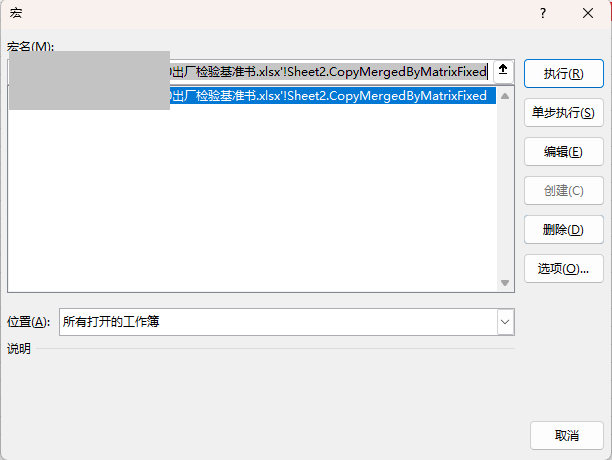
End Sub按Alt+F8选择宏函数执行
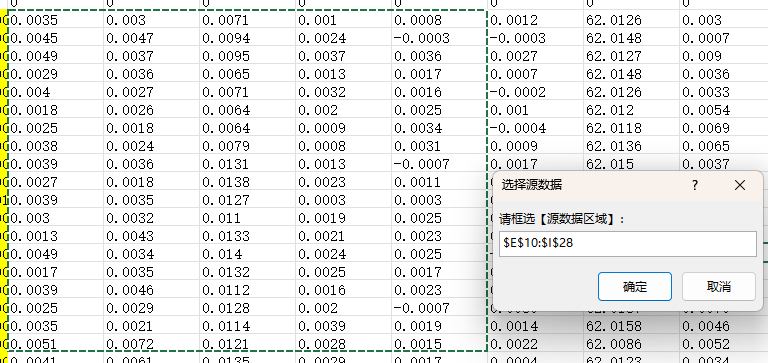
选择要复制的数据,点确定
选择要粘贴到的位置的左上角单元格,点确定
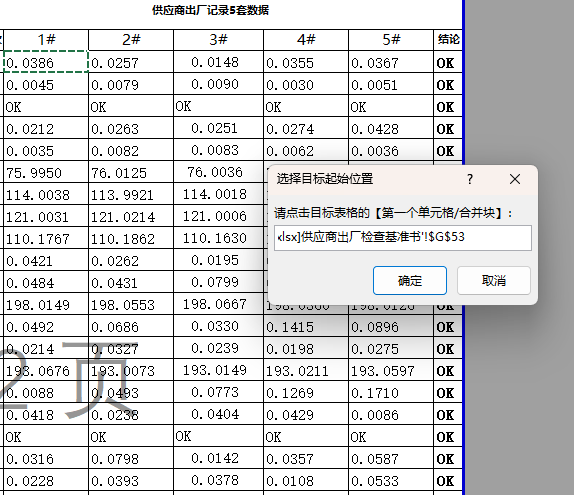
粘贴完成
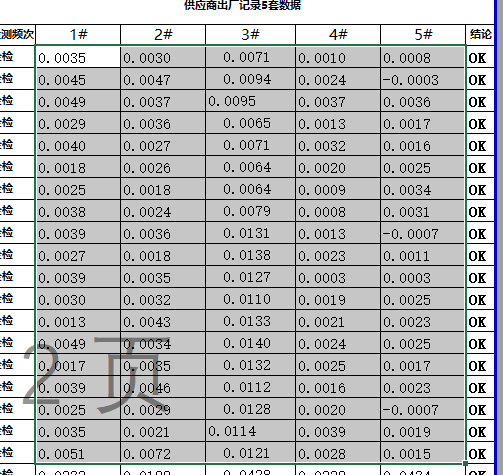
Excel 带合并单元格的数据顺延复制粘贴 VBA 宏